New PDGM features headline a trio of enhancements in this release.
Available at all access levels – Code Tracker PDGM Validator
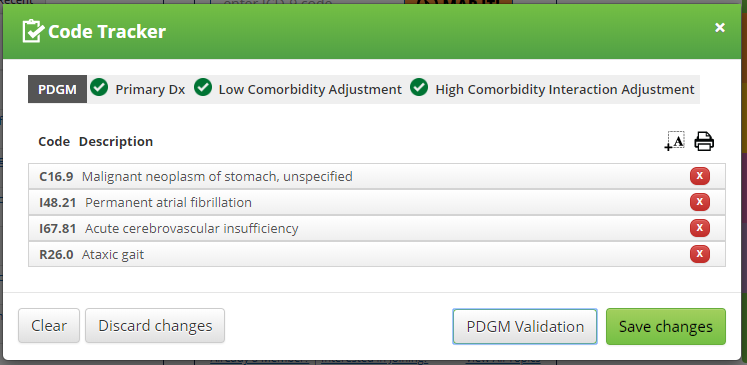
On the Code Tracker  , click the PDGM Validation button
  to check if (1) your Primary Dx is acceptable; (2) any of your secondary diagnoses garner a Low Comorbidity Adjustment; and (3) any two of your secondary diagnoses pair together to garner a High Comorbidity Interaction Adjustment under PDGM. To learn more (including additional screenshots), go to the Help Center article here.
Available at Expert access level – PDGM Functional Impairment Calculator
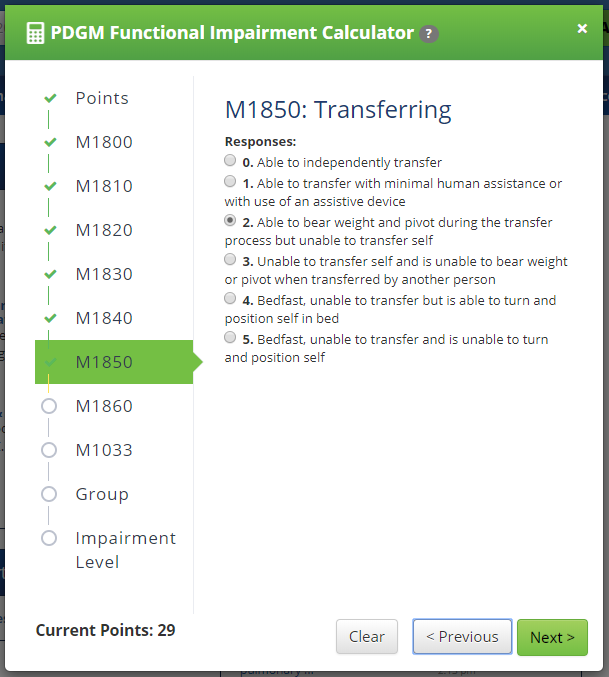
For Expert users, click the new PDGM Calculator box  at the bottom of your Toolbox and use this tool to determine your patient’s functional impairment level. Either manually enter the point total from the 8 OASIS items or use the calculator to calculate that total. Once the OASIS point total is determined, identify the clinical group of your patient's primary diagnosis to see whether your patient meets the low, medium or high functional impairment level threshold. To learn more, go to the Help Center article here.
Available to Owners and Admins of multiple-user accounts – Usage Stats
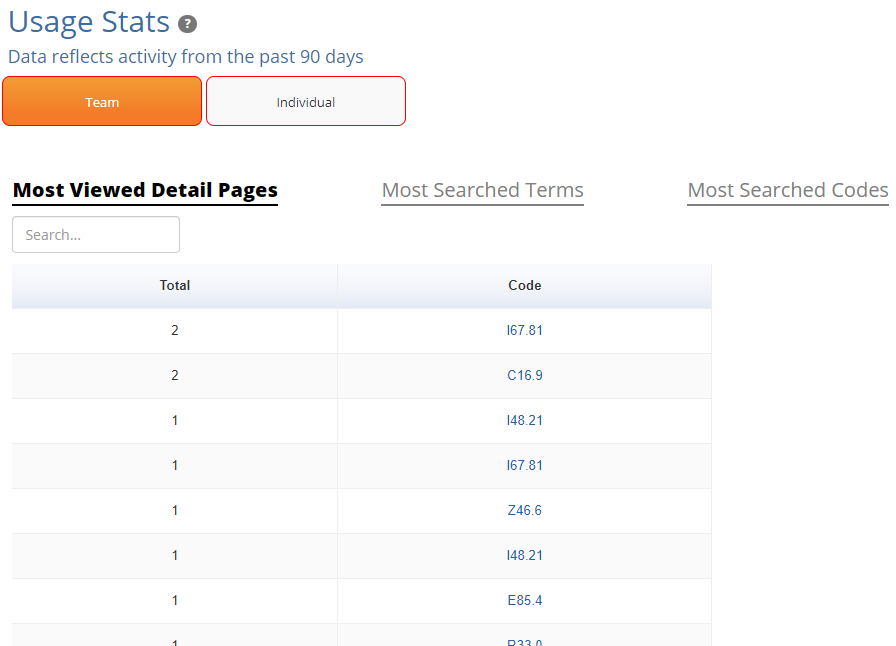
Multiple-user account owners and admins will find a new option for Usage Stats under the My Account dropdown. The Usage Stats pages provide insight into your users' Coding Center activity. The Team toggle ranks your entire account's cumulative totals in the past 90 days for (1) Most Viewed Detail Pages; (2) Most Searched Terms; and (3) Most Searched Codes.
The Individual toggle lists all your account's users, with data from the last 90 days – (1) the number of days in that time each has accessed the Coding Center; (2) how much total time they have spent; and (3) how many pages they've viewed. You can then click on any individual user to see a ranked list of their most viewed Coding Center pages by URL. To learn more, go to the Help Center article here.
Comments