Look for new PDGM features on the Coding Center. On the search result pages, any code that is to the greatest level of specificity – denoted by our green checkmark icon – now also shows whether the diagnosis is part of a Primary Diagnosis Clinical Group under the new payment model ($P icon) or not (!Q icon).
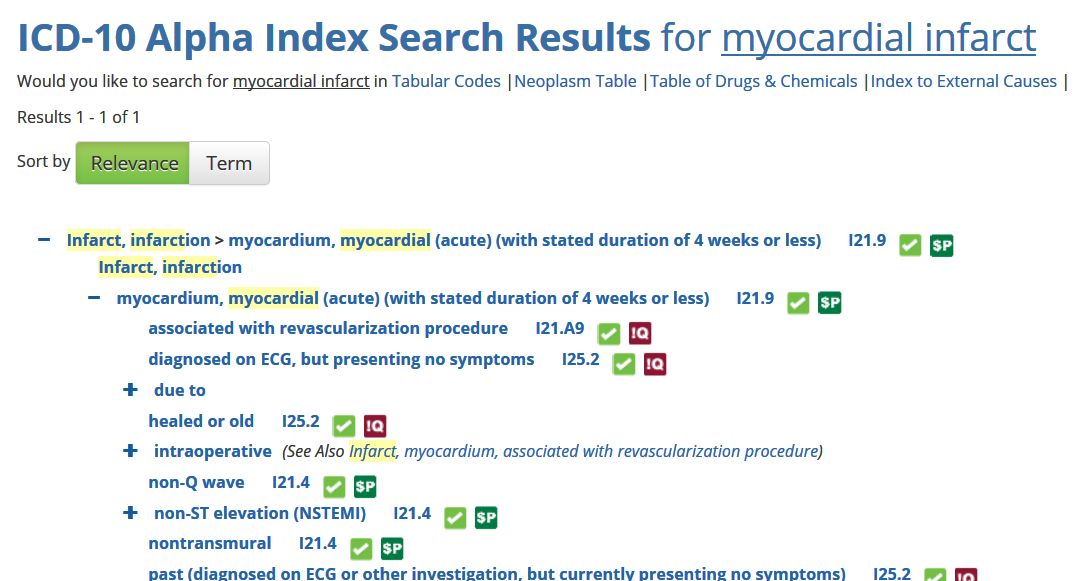
You'll find the same icons on the code detail pages, as well as icons identifying whether the code belongs to a Comorbidity Group that qualifies for a Low Comorbidity Adjustment ($L icon) and/or pairs with another group to qualify for a High Comorbidity Interaction Adjustment ($H icon).
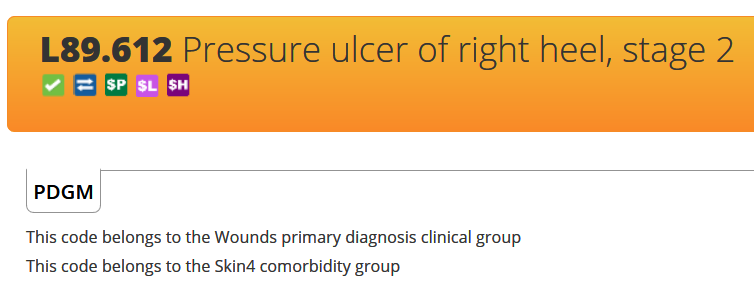
The code detail pages also include a new PDGM content field that tell you, if applicable, which Primary Diagnosis Clinical Group the code belongs to and/or which Comorbidity Group it belongs to.
Note: Some users may have to clear their browser's cache in order to see all these enhancements. Instructions for doing so are available in the Help Center here.
Comments